



A campaign that leaves money on every order at a ROAS of 4 in October can lose money on every order at a ROAS of 6 on 27 November. The dashboard shows a better number while the till shows the opposite, because during Efsane Cuma, Turkey’s Black Friday, your discount squeezes the margin, return rates climb and the same click costs more. The target ROAS you set in October stops being valid in the last week of November.
If you advertise to Turkish shoppers, this post covers how to calculate the discount-day threshold, how to spread the budget from October to December, which Google Ads and Meta settings carry the plan, and what to check every day of the peak week.
Start with the threshold: how break-even ROAS moves on a discount day
Break-even ROAS tells you the minimum sales each lira of ad spend has to bring back; every order below it loses money. The calculation is simple: divide net sales excluding VAT by the contribution left before advertising. I walk through how to build that contribution line by line in the unit economics post. Here I take the same 499 TL product, assume you sell it on your own site, and put a normal day next to Efsane Cuma.
| Line | Normal day (499 TL) | Efsane Cuma, 20% off (399.20 TL) |
|---|---|---|
| Net sale excl. VAT (20%) | 415.83 TL | 332.67 TL |
| Product cost | −210.00 TL | −210.00 TL |
| Payment provider fee (3.5%) | −17.47 TL | −13.97 TL |
| Shipping and packaging | −58.00 TL | −58.00 TL |
| Returns load (65 TL per return; 8% normally, 12% in November) | −5.20 TL | −7.80 TL |
| Contribution before advertising | 125.16 TL (30.1%) | 42.90 TL (12.9%) |
| Break-even ROAS on revenue excl. VAT | 3.32 | 7.75 |
| Break-even ROAS on revenue incl. VAT | 3.99 | 9.31 |
The payment fee and the November return rate are illustrative assumptions, so plug in your own figures. The pattern holds whatever the numbers: a 20% discount takes roughly 100 TL off the price and almost nothing off the costs, so the whole loss comes out of contribution, which falls to about a third. In October any ROAS above 3.3 leaves contribution on the order; on 27 November the line for the same product sits at 7.8.
Add fixed costs and it gets harsher. With the 40 TL per-order fixed cost share from the same example, a normal day leaves 85 TL for advertising and the discount day leaves less than 3 TL. Volume is the only thing that softens this: if order count doubles, fixed cost per order halves. Use that arithmetic to choose which products to advertise, not to declare the peak day profitable in advance.
The practical conclusion: if your deepest-discount products cannot carry advertising, leave them to organic traffic and marketplace campaigns, and point the ad budget at products with a shallow discount and a wide margin, and at bundles that lift basket size.
What the ROAS in your dashboard is counting
Before you compare the threshold with the dashboard, check two things.
Does the value include VAT? Google Ads and Meta use whatever conversion value your site sends. If your tag sends the basket total including VAT and shipping, the dashboard ROAS will look higher than the excl.-VAT ROAS in the table. In the example, the discount-day threshold is 7.75 on revenue excluding VAT and 9.31 including it. Set a target ROAS without knowing which value the platform receives and you have set it 20% wrong. The quickest check is a test order and a look at the value that lands in the dashboard.
Are returns deducted? The dashboard keeps counting a returned order as a sale. In Google Ads you can upload returns as conversion adjustments against the order ID, retracting the conversion or restating its value. Smart Bidding, however, only reads an adjustment uploaded within 7 days of the conversion being recorded; for reporting the window is 54 days. Turkish distance-selling rules give buyers 14 days to withdraw, and return parcels take time in transit, so some returns will reach you after that 7-day window and bidding will never see them. On Meta, do not look for returns in the dashboard; deduct them in your own spreadsheet. I worked through what Q4 returns do to margin in the returns wave post.
Why you should not pile the budget onto 27 November
Putting the whole budget on the peak day means buying the year’s most expensive clicks on that day. There are two more technical reasons.
The first is learning. Automated bid strategies re-enter learning when you change the target or the campaign structure. Meta says an ad set leaves the learning phase once it collects around 50 optimisation events in roughly a week after its last significant edit, and it counts large budget changes as significant edits. Quadruple the budget on the night of 26 November and you risk entering the most expensive week of the year with ad sets that have dropped back into learning.
The second is how the platforms spend. Google Ads says a campaign can spend up to twice its average daily budget on a given day but no more than 30.4 times the daily budget in a calendar month. On Meta, ad sets with a daily budget can spend up to 75% over budget on some days, while the weekly total is capped at seven times the daily budget. Both platforms are already set up to lean into a busy day, so your job is to plan the increase in advance rather than force it by hand at midnight.
Budget calendar from October to December
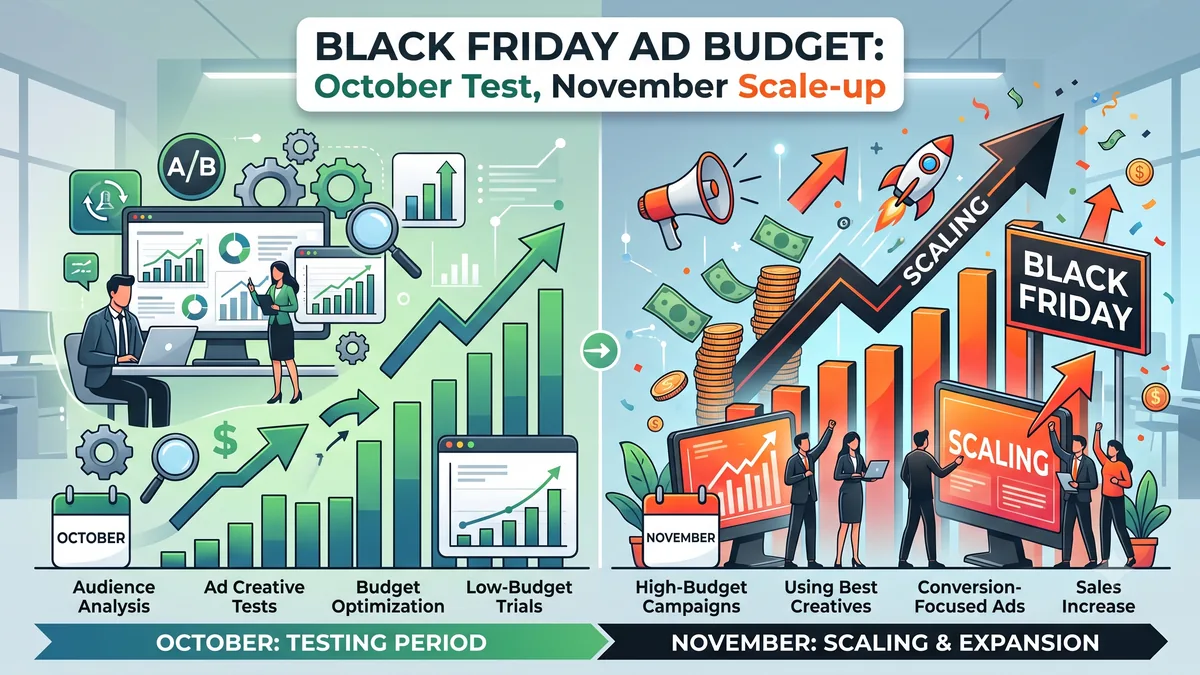
I built the split below on an illustrative 200,000 TL ad budget for 5 October to 7 December. Treat the shares as a starting point and adjust them with last year’s data if you have it.
| Period | Purpose | Share of budget | Example daily average |
|---|---|---|---|
| 5–25 October | Testing: creative, audiences, measurement | 15% | ~1,430 TL |
| 26 October – 8 November | Warm-up: audience building, 1–10 November early access | 15% | ~2,140 TL |
| 9–11 November | 11.11 dress rehearsal | 10% | ~6,670 TL |
| 12–22 November | In between: fixing errors, stepped increase | 15% | ~2,730 TL |
| 23–30 November | Peak: Efsane Cuma and Cyber Monday | 40% | ~10,000 TL |
| 1–7 December | Wind-down and measurement | 5% | ~1,430 TL |
5–25 October: testing
These three weeks buy information more than sales. Test the creative angles you plan to use in November (discount-led, benefit-led, review-led) with real budget and pick the winner now. Confirm measurement with a test order, clean up product feed errors and build the threshold table above for every product you advertise.
26 October – 8 November: warm-up
Grow your site visitor, add-to-cart and video viewer audiences; in the peak week they will be the people closest to buying. Grow your email and SMS lists in the same period and check that commercial message consents are registered in İYS, Turkey’s consent register, because on the peak day you pay nothing per click on those channels. During the 1–10 November early access window, note which products get added to basket but not bought; that list is your ad priority for the peak day.
9–11 November: the 11.11 rehearsal
Run 11.11 as a rehearsal for the settings you will use on Efsane Cuma. Set up a seasonality adjustment in Google and budget scheduling in Meta for the first time here. In the evening, look at spend pace, incoming conversion value and products that sold out, and write an error list.
12–22 November: in between
Do not switch ads off entirely; Meta also treats pausing an ad set for 7 days or longer as a significant edit. Close out the 11.11 error list and step the budget up from 20 November. There is a pricing side too. Under Turkey’s rules, the reference window for a discount starting 27 November is 17–26 November, and the discount percentage in your ad copy is measured against the lowest price in that window, so check the calendar in the 10-day rule post before you write the creative.
23–30 November: peak
Do not split the budget evenly across the eight days; give 27 November the largest share and keep a separate share for Cyber Monday on 30 November. Move discounted products into their own campaign or product group and set their targets against the discount-day threshold rather than October’s. The margin-based split I describe in the Performance Max guide earns its keep in this week more than any other.
1–7 December: wind-down
Cut the budget and shift the message to gift season and delivery speed. Upload return adjustments this week and calculate the campaign’s real ROAS once returns are in. Do not build next year’s plan from the peak-day number in the dashboard.
Setting up the plan in each platform
Google Ads
Seasonality adjustments. Google offers this tool to tell Smart Bidding in advance that conversion rates will change significantly during a promotion or sale. It works with Target ROAS and Target CPA in Search, Shopping and Display campaigns, and with all bid strategies in Performance Max. Google says the tool is ideal for short events of 1–7 days and that using it for more than 14 days in a row may reduce its effectiveness. It also notes that Smart Bidding already handles seasonal events and recommends the tool only when you expect a major change. In practice, set separate adjustments for 11.11, 27 November and 30 November, and estimate the expected change from your 11.11 rehearsal data.
Discounts in the product feed. Load the discounted price into the feed in advance with sale_price and its validity with sale_price_effective_date. If you leave out the time zone, Google assumes UTC, which means your sale starts in your ads at 03:00 Turkish time. Write the date with the time zone: 2026-11-27T00:00+0300/2026-11-30T23:59+0300.
Budget. When you raise the daily budget mid-month, the monthly ceiling for the remaining days is recalculated from the new budget. Avoid making large changes to target ROAS and budget on the same day; moving the target by no more than 10–15% at a time is a good habit.
Meta
Budget scheduling. Meta lets you schedule daily budget increases for a set period in advance, by amount or by percentage. Use it for the 11.11 and 23–30 November increases instead of changing budgets by hand at midnight.
Learning. Meta also counts adding a new ad to an ad set as a significant edit. Get your peak creative live by 16 November at the latest, so you enter 23 November with ad sets that have finished learning. If a last-minute creative is unavoidable, put it in a separate campaign rather than inside ad sets that have already learned.
Daily routine in the peak week
- Morning: Compare yesterday’s spend and ROAS with the discount-day threshold, product by product, and pull products below the threshold out of ads.
- Midday: Check spend pace. If most of the daily budget went before noon, there may be nothing left for evening traffic.
- Stock: Remove sold-out products from the feed and ads within the hour; every click on a sold-out product is wasted budget.
- Evening: Check payment errors, site speed and courier cut-off messages, and make the next day’s budget call after that check.
Pre-campaign checklist
- Normal and discount-day break-even ROAS calculated for every advertised product.
- A test order has confirmed whether the platform receives conversion value including or excluding VAT.
- Discounted products sit in their own campaign or product group, with targets set against the discount-day threshold.
sale_price_effective_dateentered with the +0300 time zone.- Seasonality adjustment tested on 11.11 and the result noted.
- Meta budget scheduling set up for 23–30 November.
- Peak creative live by 16 November at the latest.
- Discount percentages in ads calculated under the 10-day rule.
- Commercial message consents for email and SMS lists registered in İYS.
- It is clear who uploads return adjustments, and on which day.
Frequently asked questions
How much should I budget for Efsane Cuma ads?
Start from the threshold, not the revenue target. Multiply your target order count by the product’s contribution before advertising and you have the ceiling you can spend without losing money. In the example the discounted product contributes 42.90 TL, so if you are aiming for 1,000 orders of it, the most you can spend is 42,900 TL. As you approach that ceiling, the contribution left on each order falls to zero and fixed costs go uncovered.
How many times can I multiply the budget on the peak day?
I cannot give you a fixed multiplier, because the product’s threshold sets the limit. The platforms already build in flexibility: Google can spend up to twice the daily budget in a single day, Meta up to 75% over. So rather than quadrupling the budget overnight for 27 November, step it up from 20 November and set up the peak day with a seasonality adjustment in Google and budget scheduling in Meta.
Can I run a seasonality adjustment for the whole of November?
Google advises against it. The tool is designed for short events of 1–7 days, and its effectiveness may drop beyond 14 days. Set up 11.11, 27 November and 30 November separately instead of covering the month with one adjustment.
Should I take part in Efsane Cuma with a small budget?
Yes, but do not spread it thin. Put a small budget into remarketing audiences and a handful of your widest-margin products rather than broad audiences. Do not cut the October test budget either; that is when you find the creative that works at the peak.
Does the same calculation apply to marketplace ads?
The threshold logic is the same, but the lines differ: the marketplace commission replaces the payment fee and contribution narrows further. Marketplace ad consoles have their own budget and bidding rules, so do not carry the platform settings in this post across one for one; follow the current ad rules in your seller panel.
Related reading
- Real Profit Margin: Unit Economics Table — where the break-even threshold comes from
- Turkey’s 10-Day Rule — the basis for the discount percentage in your ads
- Performance Max Guide — keeping automated campaigns under control
- The Returns Wave — what Q4 returns really do to margin
Sources and official links
- Google Ads Help — About seasonality adjustments — supported campaign types, recommended duration and when to use it
- Google Ads Help — About average daily budgets — monthly spending limit and mid-month budget changes
- Google Ads Help — Why daily costs might exceed your average daily budget — spending up to twice the daily budget
- Google Ads Help — Conversion adjustments — retractions, restatements and the 7 / 54-day windows
- Google Merchant Center Help — Sale price effective date — date format and the default UTC time zone
- Meta Business Help Centre — About the learning phase — learning phase and significant edits
Rules, fee schedules and platform policies change. The figures in this post reflect the position at the time of writing; confirm the current position from the official sources above before you act. Amounts in the example table are illustrative.
The one thing to do this week
Build a two-column table for your top 10 advertised products: break-even ROAS at the normal price and with your planned Efsane Cuma discount. Products whose discount-day threshold sits above the ROAS you see in the dashboard today do not need more ad budget in November; they need either a shallower discount or a campaign without ads. The same table tells you which products deserve the October test budget.
Haftalık bülten
Pazaryeri ve e-ihracatta bu hafta ne değişti?
Komisyon oranları, mevzuat ve algoritma değişikliklerini haftada bir, tek e-postada özetliyorum. Reklam yok, tekrar yok — istediğiniz an tek tıkla çıkabilirsiniz.
